
2026 Ultimate Face-Off
MacBook Pro vs. MacBook Air: 2026 Comparison Guide
The ultimate showdown between Apple’s most powerful and most portable laptops. Which M5 model is right for your workflow?
- M5 Series Tested
- 12-Min Read
- Updated Today

Quick Comparison Summary
A high-level glance at Apple’s premier M5-powered laptops to find your ideal fit.
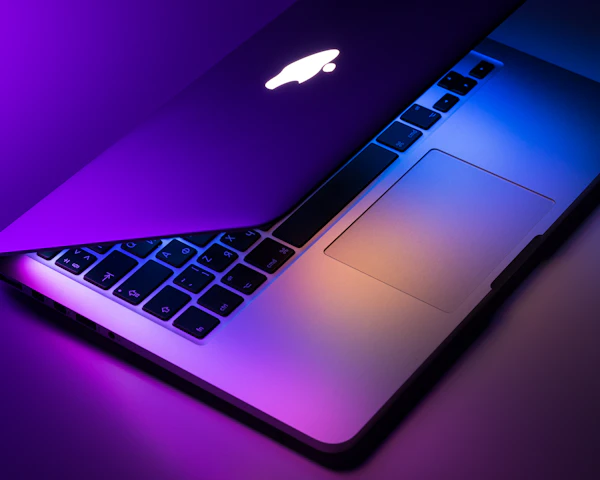
Best for Performance
MacBook Pro M5 Max
The ultimate workstation for intensive 3D rendering, complex software compiling, and studio-grade video production.

Best for Portability
MacBook Air 13" M5
Featherlight, fanless design that slips into any bag. Ideal for students, remote work, and non-stop productivity on the move.
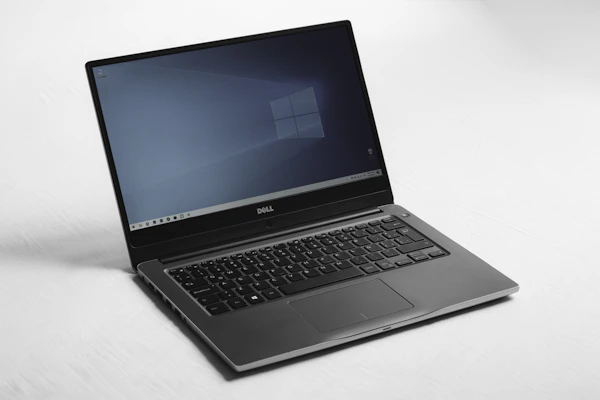
Best for Productivity
MacBook Air 15" M5
The perfect sweet spot. Offers an expansive 15-inch Liqud Retina display inside an ultra-slim, travel-ready metal chassis.
MODEL COMPARISON
Find the Perfect M5 MacBook
Model Spec
MacBook Pro 14" M5 Max
MacBook Air 13" M5
MacBook Air 15" M5
Processor / Chip
Apple M5 Max
Apple M5
Apple M5
CPU / GPU Cores
18-Core CPU / 32-Core GPU
8-Core CPU / 10-Core GPU
8-Core CPU / 10-Core GPU
Display Technology
14.2″ Liquid Retina XDR
13.6″ Liquid Retina
15.3″ Liquid Retina
Unified Memory
36GB RAM
16GB RAM
16GB RAM
Storage Capacity
2TB SSD
512GB SSD
1TB SSD
Best For
Extreme workflows, 3D rendering, & heavy compiling
Ultra-portable productivity & daily travel
Power users wanting screen real estate & light creative work
The All-New M5 MacBook Lineup
Compare premium designs, cutting-edge chipsets, and find the perfect machine for your unique workload.
MacBook Pro M5 Max
- M5 Max Next-Gen Architecture
- Liquid Retina XDR Pro Display
- 36GB Ultra-Unified Memory
- Advanced Thermal Cooling
BEST SUITED FOR:
Elite professionals, 3D renderers, complex software compilation, and heavy video workflows.
MacBook Air M5 15"
- M5 Processor (8-core CPU)
- 15.3" Liquid Retina Screen
- 16GB Seamless Unified Memory
- Thin & Portable Fanless Body
BEST SUITED FOR:
Students and multitaskers demanding a larger viewport without sacrificing lightweight transport.

MacBook Air M5 13"
- M5 Processor Core Power
- 13.6" Liquid Retina Display
- 8GB High-Speed Memory
- Featherlight 2.7 lbs Build
BEST SUITED FOR:
Digital nomads, casual browsing, office suite tasks, and maximum everyday portability.
Which MacBook Should You Choose?
A straightforward decision guide to help you find the ultimate match for your workflow, lifestyle, and budget.
CREATIVE POWERHOUSE
Choose MacBook Pro if...
You are a professional whose livelihood depends on intensive processing speeds, gorgeous sustained screen brightness, and extensive hardware connectivity.
- Heavy Workloads: 3D rendering, sustained multi-track audio, or 8K ProRes video editing.
- Liquid Retina XDR: Critical color-grading with up to 1600 nits and ultra-smooth 120Hz ProMotion.
- Max Connectivity: Dedicated HDMI port, SDXC card slot, and support for up to 4 external displays.
DAILY PORTABILITY
Choose MacBook Air if...
You value an ultra-thin design, silent fanless operation, and class-leading battery endurance for a highly mobile, daily productivity workflow.
- Everyday Agility: Perfect for writing, web design, coding, and extensive multi-tab browsing.
- All-Day Endurance: Up to 18 hours of real-world battery life without hunting for power outlets.
- Silent Efficiency: Fanless thermal design ensures absolute silence even under sustained workloads.
Pros & Cons Comparison
A direct specifications-based breakdown of the new M5 MacBook lineup to help you choose the right balance of raw power, portability, and value.
MacBook Pro M5 Max
For ultimate creative output & heavy dev workflows.
Pros
- Extreme M5 Max rendering power
- Best-in-class Liquid Retina XDR
- Full array of professional ports
Cons
- Substantially higher initial cost
- Thicker and noticeably heavier
MacBook Air M5 15"
Perfect balance of screen real estate and mobility.
Pros
- Generous 15.3" display space
- Ultra-thin, silent fanless build
- Superb everyday battery life
Cons
- Limited to two USB-C ports
- No high-refresh 120Hz display
MacBook Air M5 13"
The ultimate featherweight champion for daily tasks.
Pros
- Highly compact, travel-friendly
- Completely silent operation
- Most budget-friendly M5 option
Cons
- More restricted screen space
- Single external monitor support
MACBOOK BUYING GUIDE
What Should You Consider Before Choosing?
An investment this significant requires aligning hardware capabilities with your workflow, mobility preferences, and long-term upgrade plans.
Performance Requirements
Evaluate whether your daily work requires the massive multi-core execution of the M5 Max for intensive logic compile sessions and 3D rendering, or if the thermal efficiency of a standard M5 chip suffices.
Display Needs
Determine if you need the extreme color precision of a Liquid Retina XDR screen with 120Hz ProMotion for high-fidelity HDR grading, or if a standard workspace-friendly Liquid Retina display meets your workflow demands.
Portability & Size
Balance the extreme weight savings of a 13-inch Air footprint designed for high mobility and light travel against the expanded desktop surface area and thermal headroom of a 15-inch or 16-inch Pro workstation.
Budget & Longevity
Evaluate baseline specifications versus immediate upgrades. Allocating additional budget to secure higher unified memory configuration protects your machine against future software demands.
Final Verdict
Which M5 MacBook is actually right for your lifestyle and workflow?
The Power User
The M5 Pro is tailored strictly for developers, massive video renders, and heavy multitasking. If your workflow pushes performance to the limit, invest here.
The Nomad & Student
The Air 13 M5 is the ultimate travel champion. Extremely light, completely silent, and boasting endless battery life. Perfect for cafe work and campus lectures.
The Screen Craver
The Air 15 M5 balances a spacious display with a budget-friendly profile. If you want massive screen space for spreadsheets or streaming without Pro pricing, this is it.
GOT QUESTIONS?
MacBook Buyers' FAQ
Which is better for professional users, MacBook Pro or MacBook Air?
The MacBook Pro is superior for professional users who require sustained performance for heavy workloads like 3D rendering, complex software compilation, and multi-stream 4K/8K video editing. It includes active cooling fans to prevent thermal throttling, extra high-bandwidth ports, and supports Apple’s Pro and Max series chips for ultimate processing power.
Which MacBook is better for portability?
The MacBook Air is significantly better for portability. It features a completely fanless, razor-thin chassis that operates in absolute silence and easily slips into any backpack. Weighing less than its Pro counterparts, the Air is ideal for students, writers, and digital nomads who prioritize ease of travel and excellent battery life on the move.
How do the MacBook Pro and MacBook Air differ?
The main differences lie in performance, thermal design, and features. The MacBook Pro features high-end Pro/Max processor options, active fan cooling for intensive tasks, Liquid Retina XDR displays with ProMotion, and superior port variety (HDMI, SDXC slot, MagSafe, and up to 4 Thunderbolt ports). The MacBook Air operates silently without fans, utilizes standard base chips, offers a standard Liquid Retina display, and carries fewer ports to prioritize ultra-thin aesthetics.