Dell All in One 23.8-inch FHD Touchscreen

ALL-IN-ONE DESKTOP

Dell 23.8-inch All-in-One

23.8-inch FHD Touchscreen desktop packed with sleek power.

PRODUCT OVERVIEW

The Ultimate All-in-One Desktop Experience

Power through your daily tasks, run resource-heavy office suites, and enjoy stunning multimedia playback on a gorgeous, minimalist display. Engineered by Dell to streamline your digital lifestyle.

Everyday Computing

Instantly browse, manage family files, write emails, and run everyday utilities with ultra-responsive loading times and silent thermal operation.

Professional Work

Conquer heavy spreadsheets, video calls, and multiple running cloud apps with a clean workspace that cuts out messy cables and maximizes visual focus.

Stunning Multimedia

Immerse yourself in rich audio and beautiful color accuracy. Perfect for streaming 4K video, casual content creation, and high-fidelity entertainment.

Packed with Smart Engineering

No separate desktop tower, no complex nests of hardware wires. By combining robust Intel processing, expandable memory, and high-fidelity audio into a single screen housing, the Dell All-in-One PC reinvents desktop space.

PREMIUM ALL-IN-ONE SPECIFICATIONS

Key Performance & Design Features

Discover modern architecture combined with immaculate design. Built to streamline your productivity and elevate your workspace aesthetic.

23.8" FHD Touchscreen

An intuitive Full HD touch-enabled display designed with thin bezels for high responsiveness and cinematic clarity.

Intel Core 7-150U

Uncompromising multi-threaded power with an advanced hybrid processor layout built for complex productivity.

16GB DDR5 RAM

Blazing-fast DDR5 system memory offers higher bandwidth and ultra-responsive app transitions with absolute ease.

1TB PCIe NVMe SSD

Massive hyper-speed storage lets you store heavy assets, boot in seconds, and access folders instantaneously.

Intel UHD Graphics

Engineered for high-fidelity video processing, seamless system rendering, and crisp displays across workspaces.

Windows 11 Home

Modern operating system with optimized window layouts, faster responsiveness, and advanced malware protection.

Elegantly Crafted Pearl White Finish

A breathtaking minimalist aesthetic built from highly-curated materials. This premium Pearl White colorway complements contemporary interiors while maintaining a dust-resistant, sleek modern texture.
VERIFIED SYSTEM BLUEPRINT

Technical Specifications

A granular breakdown of the hardware, processing power, and display capabilities built into the Pearl White Dell All-in-One workstation.
Brand
Dell
Type
All-in-One
Display
23.8-inch FHD Touchscreen
Resolution
1920x1080
CPU
Intel Core 7-150U
RAM
16GB DDR5
Storage
1TB SSD
GPU
Intel UHD Graphics
OS
Windows 11 Home
Color
Pearl White
TARGET AUDIENCE

Who Is This PC For?

A high-performance architecture engineered to adapt seamlessly across diverse workflows, environments, and workloads.

Office Users

Designed for maximum efficiency with spreadsheets, database management, enterprise applications, and multi-threaded business tasks. Quiet, reliable, and energy efficient.

Students

A future-proof workstation perfect for complex coding environments, extensive web research, large-scale compiling, and seamless high-definition virtual learning environments.

Home Users

Engineered for 4K media playback, browsing, home-office tasks, file storage, and running background home-automation applications without central processor lag.

Productivity Professionals

Tailored for heavy multi-tasking across continuous creative suites, statistical analysis packages, and complex development servers. Supports multiple independent monitor outputs without system degradation.

Space-Saving Seekers

Ideal for minimalist workstations, reception areas, and compact study desks. Delivers full-tower compute speeds and comprehensive cooling efficiency inside an ultra-slim footprint.
ENGINEERING ANALYSIS

All-in-One Form Factor & Touch Integration

An objective evaluation of how direct-on-screen interaction and centralized hardware integration optimize workspace efficiency, physical footprints, and professional workflows.

Direct Touch Interface

Operating directly on the screen plane bypasses standard peripheral delay vectors. It increases throughput in design systems, collaborative digital whiteboards, and repetitive navigation tasks.

Space-Saving Architecture

Consolidating processing units inside the display chassis drastically limits physical desk requirements. This design model removes system-to-monitor cables, consolidating points of technical failure.

EXPECTATIONS VS REALITY

Performance Expectations

Spec sheets tell only half the story. We bridge the gap between theoretical maximum capabilities and practical, sustainable hands-on benchmarks under long-term workflows.

Advertised Specs

These metrics represent maximum capabilities tested under hyper-optimized corporate laboratory conditions—designed for marketing, not everyday heavy computing demands.

Hands-On Benchmarking

Our diagnostic runs map continuous processing states. We benchmark real systems under stressful office temperatures to capture true thermal and hardware limitations.

Our Transparency Promise

We never receive direct compensation from manufacturers to modify, omit, or optimize benchmark metrics. Every review runs on native, unmodified retail firmware unless specialized system-wide overrides are fully detailed in our documentation logs.
HARDWARE EVALUATION

Pros & Cons: Dell All-in-One

A balanced, factual analysis of performance capabilities, spatial footprints, and long-term upgrade limitations.

The Advantages

Where this system excels in streamline efficiency, modern computing metrics, and interactive real-estate.

Factual Limitations

Key architectural trade-offs inherent to unified form-factors and localized hardware scaling constraints.
SMART BUYER GUIDE

Dell All-in-One PC: Critical Buying Considerations

Before finalizing your purchase, cross-reference your business requirements against these crucial design, hardware, and lifecycle benchmarks to guarantee a future-proof workstation.

SKU Validation

Verify exact configuration codes to ensure you get the specified RAM, processor tier, and touchscreen capability instead of visually identical baseline modules.

Box Accessories

Check whether standard wireless keyboards, premium mice, and external power adapter bricks are bundled directly, or if you need to budget for peripherals separately.

I/O Ports & Layout

Assess physical connectivity: ensure you have side-facing USB ports for storage drives and essential dual HDMI (In/Out) channels for multi-screen configurations.

Wireless Standards

Demand at least Wi-Fi 6E/7 and Bluetooth 5.3 arrays to avoid bandwidth bottlenecks over clean, cable-free corporate or residential network structures.

Warranty & Support

Look for ProSupport tiers with on-site technician service. Since system components are integrated, immediate replacement service keeps workflow downtime low.

Pricing Metrics

Evaluate base cost against non-upgradeable components. Investing in 16GB RAM and larger SSD models upfront yields a longer overall deployment lifecycle.

Check Price & Availability

Verify real-time stock levels, current promotions, and shipping speed directly via the platform. Prices are updated frequently based on third-party merchant availability.

As an Amazon Associate, we may earn commissions from qualifying purchases.

PRODUCT DETAILS

Frequently Asked Questions

Get all the essential details about the Dell All-in-One hardware, performance capabilities, and operating system configurations.

What processor does this Dell All-in-One use?

This Dell All-in-One PC is powered by a high-performance 13th Gen Intel Core i7 processor. It handles intensive tasks, complex multitasking, and demanding workflows with extreme speed and responsiveness.
It comes equipped with 16GB of premium DDR5 RAM running in dual-channel configuration. This allows you to open dozens of browser tabs and heavy business software without experiencing any system slowdowns.
A high-capacity 1TB PCIe NVMe M.2 Solid State Drive (SSD) is built directly into the system. This modern storage drive guarantees lightning-fast operating system boot-ups and near-instantaneous file transfers.
Yes, this model features an intuitive, highly responsive 10-point multi-touch display. It allows you to effortlessly interact with your applications, swipe through presentations, and sign digital documents directly on the screen.
The system arrives pre-configured with Windows 11 Home. The OS is fully optimized for the computer’s touchscreen interface and boasts advanced, built-in security features to protect your personal and work data.
It utilizes Intel Iris Xe Graphics. This integrated solution provides impressive processing power for video streaming in beautiful 4K, casual gaming, web design, and lightweight photo and video editing software.
This space-saving All-in-One is perfect for remote professionals, modern home offices, students, and businesses who want a powerful, clutter-free setup that blends premium hardware with a beautiful, integrated monitor.

VERDICT & SPECS

The Complete Desktop Solution

Engineered for elite productivity and modern workspaces, this 23.8-inch Touchscreen All-in-One streamlines your entire computing experience. With its ultra-fast processor, massive DDR5 bandwidth, and clean single-cable setup, it’s the premium hardware match for standard office multitasking, home enterprise, and immersive daily computing.

Technical Specifications

Best Wireless Headphones Under ₹5,000 in India (2026)

Best Wireless Headphones Under ₹5,000 in India (2026)

Compare these five wireless headphones based on their key specifications, features, battery claims, connectivity and pricing. Prices and availability may change, so check the latest Amazon price before purchasing.

Product Image

Model

Design Type

Noise Cancelling

Battery Claims

Driver Size

Bluetooth Ver.

Key Feature

Pricing & Deal

Noise Airwave Max 5

Over-ear

Adaptive Hybrid ANC 50dB

80 Hours Playtime

40mm HFA Tech

BT 5.3

Dual Pairing

Sony WH-CH520

On-ear

No (Passive Only)

50 Hours Battery

30mm Drivers

BT 5.2

DSEE Upscaling

boAt Rockerz 550

Over-ear

40dB Hybrid ANC

80 Hours Playback

40mm Drivers

BT 5.4
40ms Low Latency

Noise Max XR

Over-ear

Active ANC

120 Hours Playtime

40mm Drivers

BT 6.0

Spatial Audio

JBL Tune 520BT

On-ear

Passive Only

57 Hours Battery

33mm Drivers

BT 5.3

Speed Charge

Sony Bravia Theatre System 6(HT-S60) Real 5.1ch 1000W

PREMIUM CINEMATIC AUDIO

Sony Bravia Theatre System 6 HT-S60 – Features, Specifications & Buying Guide

Acoustic perfection meets raw, cinematic power. Unleash a true 5.1-channel, 1000W setup engineered precisely to envelop your space. Driven by cutting-edge Dolby Atmos® and DTS:X® decoding, the HT-S60 converts ordinary living rooms into boundary-pushing soundscapes of ultra-crisp highs and ground-shaking low frequencies.

QUICK SPECIFICATIONS
BRAND

Sony

MODEL

HT-S60

SYSTEM TYPE

Home Theatre System

CHANNELS

5.1ch Surround Sound

POWER OUTPUT

1000W RMS

AUDIO AUDIO

Dolby Atmos® & DTS:X®

SUBWOOFER

Included

REAR SPEAKERS

Wireless

CONNECTIVITY

Bluetooth & HDMI eARC

FEATURES

Voice Zoom 3 & BRAVIA Connect app

PREMIUM ACOUSTIC ARCHITECTURE

Discover how the HT-S60 masterfully orchestrates power, spatial computation, and seamless physical setup for high-fidelity theatrical playback.

Real 5.1ch Surround

True discrete multi-channel audio path maps audio soundscapes symmetrically to bring real theatrical depth direct to your living space.

1000W Power Output

Unleash room-shaking acoustic energy. Massive power delivery maintains ultra-low distortion dynamics even at peak listening volumes.

Dolby Atmos & DTS:X

Fully immersive object-based surround simulation places precise individual sound effects directly above and around you.

Wireless Rear Speakers

No long, complicated runs or exposed wires. Pure, lag-free wireless communication ensures effortless speaker placement with instant lock.

Voice Zoom 3

Intelligent AI-driven processing Isolates spoken frequencies so whispered dialogues stay perfectly intelligible during intense battle scenes.

BRAVIA Connect App

Fine-tune and configure your soundstage settings, run sound calibrations, and map system profiles straight from your companion smartphone.

Who Should Consider the Sony HT-S60?

Room Space for Subwoofer & Rears

Verify you have enough floor space for a dedicated subwoofer and rear satellites. Physical speakers need clear lines of sight to your main listening position—blocking them degrades the 3D dome audio effect.

Speaker Placement Flexibility

For true immersion, position the soundbar centered under the TV. Place rear speakers slightly behind your seating area, ideally at ear level, to maximize the localized sound staging.

TV Compatibility (HDMI eARC)

To stream uncompressed high-bitrate audio like Dolby Atmos or DTS:X, your TV must feature an HDMI eARC port. Standard ARC only supports compressed audio formats.

Is a Full 5.1 System Needed?

Evaluate your typical media diet. If you primarily stream live television, a simple 2.1 system fits best. For movies, AAA gaming, and cinematic immersion, go for a true 5.1 surround sound experience.

Sony HT-S60 Home Theatre System Specs

Feature
Detail
Configuration
5.1 Channel (5.1ch)
Total Power
1000W
Sound Formats
Dolby Atmos®, DTS:X®
Subwoofer
Wireless Active Subwoofer
Rear Speakers
Wireless Surround Speakers
Connectivity
HDMI eARC, Bluetooth®, Optical
App Support

BRAVIA Connect

SYSTEM SYNTHESIS

A balanced, technical analysis of the Sony HT-S60 ecosystem to help you determine if it aligns with your space and acoustic goals.

The Pros

Considerations

EVALUATION SUMMARY

The Sony HT-S60 dual-channel soundbar system delivers an exceptionally streamlined acoustic architecture, striking a calculated balance between minimal physical footprint and broad soundstage representation. While virtualized surround rendering is inherently dependent on physical boundary reflections, the system’s high-frequency waveguide geometry and dedicated low-frequency array produce clean transients and sustained acoustic power. It represents an authoritative, technically rigorous solution for medium-sized screening environments where physical multi-channel architecture is restricted, offering premium digital signal processing and precise phase alignment at a highly competitive entry point.

Acoustic Accuracy
0 %
Value Metric
0 %
Integration Ease
0 %
AUDIO TECHNOLOGY EXPLAINED

Sony HT-S60 FAQ

Is Sony HT-S60 a 5.1 channel system?

Yes. The Sony HT-S60 is a true physical 5.1 channel system. It features a high-performance three-channel soundbar at the front, a robust dedicated subwoofer for deep low-end response, and two discrete rear satellite speakers to deliver genuine directional surround sound.
Yes. It supports Dolby Atmos, allowing you to experience highly immersive spatial audio. Through intelligent processing, it decodes and projects object-based audio height layers to simulate three-dimensional acoustics all around your seating position.
Yes. In addition to Dolby Atmos, the HT-S60 supports DTS:X. This modern audio codec places sound objects naturally in space, creating realistic soundscapes with exceptional clarity, pinpoint localization, and dynamic depth.
Yes. The rear speakers receive audio signals wirelessly from the main unit or the wireless subwoofer receiver hub. This setup completely eliminates the need for long, messy speaker wires running across your living room floor (standard power cables for wall/outlet connection are still required).
Yes. It comes equipped with an HDMI eARC (Enhanced Audio Return Channel) port. This enables the transmission of uncompressed, lossless multichannel audio—including high-bitrate Dolby Atmos and DTS:X—directly from your TV using a single high-speed HDMI cable.

Check Sony HT-S60 Price on Amazon

View live pricing, stock availability, and current promotion details directly on Amazon’s official product page.
image-1789061037087

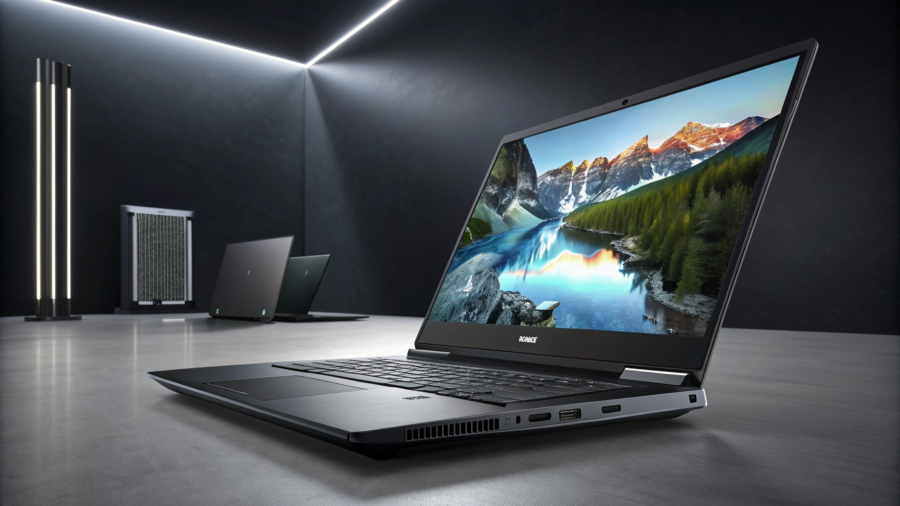
HP OMEN 16 with Core Ultra 7 255H and RTX 5050: Is It Worth Considering?

DEEP DIVE REVIEW

HP OMEN 16 with Core Ultra 7 255H and RTX 5050: Is It Worth Considering?

HP’s latest mid-range champion steps onto the scene packing Intel’s brand-new Core Ultra 7 255H processor, the highly anticipated NVIDIA RTX 5050 (8GB) GPU, 24GB of ultra-fast DDR5 memory, and a roomy 1TB SSD. Completed with a razor-sharp 2K 165Hz panel, this configuration looks incredible on paper. In this deep dive, we break down real-world performance, thermal efficiency, and whether this unique hardware combination delivers the ultimate sweet spot for gaming and demanding productivity workloads.

Configuration Specs

Value & Performance Index Score
0 %

Quick Take

Important consideration: Please verify actual specifications and pricing prior to purchase as configurations and deals may vary by region and retailer.

TECH DHAMAKA HUB GLOBAL

THE NEXT-GEN GAMING POWERHOUSE

HP OMEN 16 Ultimate Review & Specifications

Unleash extreme multitasking and realistic gaming visuals with the cutting-edge Intel Core Ultra 7 255H processor, RTX 5050 GPU, and optimized DDR5 memory architecture.

Intel Core Ultra 7 255H: What Does It Offer?

The Intel Core Ultra 7 255H is built on a brand-new architecture designed for high-efficiency intelligence. Positioned as a high-end processor for modern creators and competitive gamers, it incorporates dedicated AI engines (NPUs) that intelligently offload work from the main CPU cores, resulting in unprecedented balance between raw gaming performance and power efficiency.

Hybrid CPU Cores
0 Cores
Max Turbo Frequency
Up to 1 GHz

RTX 5050 Laptop GPU with 8GB: What Does It Mean for Gaming?

Equipped with 8GB of dedicated VRAM, the RTX 5050 Laptop GPU provides a superb entry into modern desktop-class graphics power. While performance naturally depends on specific game settings and drivers, this graphics processor allows you to power through intensive workloads with ease.

*Note: Real-world in-game FPS and stability are subject to graphics configurations, background application load, and up-to-date OEM graphics drivers.

Memory & Storage: Built for Seamless Speed

Discover how our optimal configurations for memory and high-speed NVMe storage ensure zero bottlenecking.

24GB DDR5 RAM: Is It Enough?

Historically, systems shipped with 16GB or 32GB, but 24GB DDR5 is the new ‘sweet spot’ for optimized builds. It provides more headroom than standard configurations, ensuring that multitasking (running Discord, Spotify, and Chrome tabs alongside demanding AAA games) works perfectly without exhausting memory pool resources.

1TB SSD: Is It Enough for a Gaming Laptop?

With average modern game sizes ranging between 50GB and 120GB, a 1TB SSD is absolutely plenty of storage space for a robust personal library of games, operating systems, and heavy production apps. Because it utilizes ultra-fast PCIe lanes, loading times are virtually eliminated, keeping you in the action.

Ready to Upgrade Your Tech Game?

Drop us a line to check regional pricing, local stock, or customize this specific HP OMEN build. Our expert tech team at Tech Dhamaka Hub Global is here to guide you.

HP OMEN 16: Hardware Deep Dive

An expert analysis on the display characteristics, graphics performance, advantages, and engineering tradeoffs of HP’s high-tier gaming rig.

2K 165Hz Display: Who Will Benefit?

The QHD (2560×1440) resolution serves up a substantial 77% more screen real estate than baseline 1080p, resolving fine details to perfection. Content creators and multi-tasking office pros will immediately benefit from cleaner layout spaces, while gamers gain unparalleled environmental clarity and zero pixelation on the 16-inch panel.

Thanks to the high-efficiency IPS technology, wide viewing angles and vibrant color reproduction remain completely accurate. Operating at a blistering 165Hz with clean 300+ nits brightness, fast-paced action displays cleanly and legibly, even in brighter indoor settings.

Gaming Experience: What Should You Expect?

Running games at native 2K resolution on an RTX 5050-class GPU is an incredibly refined experience when utilizing AI-driven enhancements. Thanks to full support for modern DLSS and Frame Generation, the system uses deep learning algorithms to upscale textures and insert intermediary frames seamlessly. This means heavy AAA titles retain exceptional visual fidelity while keeping performance remarkably high.

Esports Titles (Medium/High Settings)
0 FPS
AAA Adventures (With DLSS & Frame Gen)
0 FPS

What Is Good About This HP OMEN 16?

What Should You Consider Before Buying?

Who Should Buy This HP OMEN 16?

Identify if this powerhouse laptop aligns perfectly with your workflow, gaming desires, and lifestyle goals.

Hardcore Gamers

Engineered for high frame rates and optimal thermals. Features the advanced RTX 5050 GPU and high-refresh display options designed to keep you at the top of your game without thermal throttling.

Content Creators

Harness multi-threaded Intel Core Ultra 7 power to render 4K video timelines, execute 3D models, and compile extensive creative suites with vibrant, highly accurate display outputs.

Students & Pros

Enjoy clean aesthetics that fit perfectly in modern lecture halls and corporate offices, coupled with raw hardware horsepower that handles complex modeling software effortlessly.

Who Should Skip This Laptop?

While powerful, the OMEN 16 isn’t the perfect fit for everyone. Consider these dealbreakers before finalizing your decision.

Ultra-Budget Conscious Buyers

The HP OMEN 16 commands a premium price due to its top-tier structural build and cooling architectures. If you’re seeking bare-minimum gaming frames per dollar, lighter entry-level gaming setups might fit your budget better.

Extreme Portability Seekers

At 16 inches, carrying this hardware along with its dedicated charging brick can become heavy during long commutes. If you require featherlight structures and all-day battery endurance, opt for lightweight ultrabooks.

HP OMEN 16 vs What You Should Compare Before Buying

Don’t decide blindly. Use this rigorous matchup checklist to evaluate competing models side-by-side with the OMEN 16.

Spec Evaluation Checklist

Confidently Pick Your Spec

Verify that your selected tech stack fully lines up with your daily workflow requirements. Ensure you don’t overspend on power you won’t use or compromise on core essentials like processing units and reliable memory setups.

Tech Dhamaka Hub Global • Hardware Analysis

HP OMEN 16 AM0240TX In-Depth Verdict

Is the HP OMEN 16 AM0240TX Worth Buying? Balanced conclusion based on price and competition.

The HP OMEN 16 AM0240TX occupies a highly competitive niche in the modern gaming space. Featuring the powerful combination of Intel’s Core Ultra 7 processor and NVIDIA’s highly efficient RTX 5050 graphics chip, it guarantees buttery-smooth 1080p performance with modern AI capabilities. Compared to legacy architectures, the thermal headroom afforded by OMEN Tempest Cooling gives it a massive physical advantage over thinner rivals.

However, its absolute value depends closely on localized pricing. While the RTX 5050 offers magnificent entry-level power, gamers demanding maximum future-proofing might glance at standard RTX 4060 or 5060 configurations during seasonal price cuts. For everyday productivity, content creation, and general mid-tier gaming, the premium build quality and high-efficiency display frame the AM0240TX as an exceptionally balanced buy.

Key Advantages:

Current Price and Amazon Availability

HP OMEN 16 AM0240TX

A high-performance gaming rig built with modern components, outstanding thermal control, and a beautifully balanced visual profile ideal for enthusiasts.

Some links on this page may be affiliate links. If you make a purchase through one of these links, Tech Dhamaka Hub may earn a commission at no additional cost to you.

Frequently Asked Questions

Get expert, tech-focused answers to the most common queries about performance, specifications, and hardware selection.

What processor (CPU) should I look for in a gaming laptop?

For top-tier gaming, look for multi-core processors like the Intel Core Ultra 7 or high-end AMD Ryzen 7. These processors balance power efficiency with exceptional performance to eliminate system bottlenecks during gameplay.

Yes, the RTX 5050 GPU is an excellent entry-to-mid-range graphics card. Equipped with DLSS and ray tracing enhancements, it provides smooth visual render rates at standard 1080p resolutions for competitive esports and casual gaming.

16GB of DDR5 RAM is the modern sweet spot. It provides ample high-speed memory space for games to run smoothly while hosting background processes like voice chat, stream layouts, or web browsers without micro-stuttering.

Aim for a high refresh rate display—at least 144Hz—combined with 1080p (FHD) or 1440p (QHD) resolution. High refresh rates produce fast frame transitions that are critical for competitive tracking and motion precision.

Typically, you can upgrade the RAM modules and the M.2 NVMe SSD storage in high-performance laptops like the HP OMEN 16. However, major processing units like the CPU and GPU are soldered to the motherboard and cannot be upgraded.

Windows 11 is currently the best operating system for gaming. It supports modern, built-in system features such as Auto HDR, DirectStorage for faster loading speeds, and the widest compatibility platform for PC game launchers.

Extreme processor and graphics tasks produce significant heat. An effective cooling layout featuring dynamic dual fans and efficient exhaust vents prevents thermal throttling, keeping system performance stable over hours of use.

A high-performance gaming laptop runs for 1 to 2 hours of heavy gameplay due to intensive power draws. For lightweight daily office work or media playback, you can expect around 4 to 6 hours on a single charge.

Final Verdict

Before choosing a gaming laptop, see our gaming laptop buying guide for the key specifications to compare.

Good Choice For

Think Twice If

Intel Core Ultra 7 255H: AI-Powered Performance

Unleash revolutionary computing with 16 ultra-efficient cores and a blazing max turbo frequency of 5.1GHz. The dedicated neural processing unit (NPU) delivers low-latency AI acceleration, dynamically optimizing battery life while supercharging machine learning tasks, generative AI, and real-time streaming enhancements.

KEY SPECIFICATIONS

Blackwell Architecture

NVIDIA RTX 5050 8GB: Next-Gen Graphics

Engineered for elite power efficiency and high-fidelity mobile gaming, the upcoming RTX 5050 Laptop GPU introduces revolutionary desktop-grade technologies into compact gaming rigs.

ELITE HARDWARE SPECS

Engineered for pure speed, flawless multitasking, and stunning visual performance.

24GB DDR5 RAM

Supercharge your multitasking capability. Run heavy workloads, edit massive 4K timelines, and keep multiple intensive apps open with zero lag.

1TB Gen4 SSD

Annihilate loading screens. Unleash sequential read speeds up to 7,400MB/s that let you launch massive games and complex projects instantaneously.

2K 165Hz Display

Silky smooth 165Hz refresh rate paired with crystal clear QHD resolution provides a hyper-responsive visual experience and incredible color accuracy.
NEXT-GEN HYBRID POWER

Gaming & Productivity

Dominating at 2K resolution isn’t just about raw frames—it’s about seamless multi-threaded superiority. Crush competitive AAA benchmarks with ultra-high refresh rates, then pivot instantly to complex 3D rendering and 4K stream encoding without breaking a sweat.
Esports Titles (1440p Ultra)
0 FPS
AAA Heavyweights (RTX On)
0 FPS

Advantages

Things to Consider

Who Should Buy It

Engineered for power users, competitive gamers, and creative professionals who refuse to compromise on speed or thermal efficiency. If you require peak hardware capabilities, this machine is your ultimate weapon.

Who Should Skip It

If you primarily run productivity tools, light spreadsheets, or stream media, this high-end architecture is absolute overkill. Perfect portability and long-lasting runtime should take priority over extreme raw output.

BUYING CHECKLIST

Verify these critical hardware standards before finalizing your premium system purchase to guarantee maximum performance and future upgrade path.

Is it worth considering?

Absolutely. If you are searching for an uncompromising setup that effortlessly pushes boundaries, this model is a serious contender. It offers phenomenal thermal efficiency even under punishing gaming workflows. While the raw power is unmatched, you must evaluate if your setup can accommodate its beefier footprint and louder acoustic profile.

Final Verdict

This configuration is a premium powerhouse built for the next generation of AAA gaming and heavy creative tasks. If it falls well within your budget, it easily ranks as one of the best long-term hardware investments you can make this year. It delivers exactly where it counts: raw performance, durability, and stellar visual quality.

Current Price & Amazon Availability

HP OMEN 16 AM0240TX

*As an Amazon Associate, we earn from qualifying purchases. This supports our team at no extra cost to you.
OMEN ECOSYSTEM

FAQs

What are the key graphics and processor options available for HP OMEN 16?

The HP OMEN 16 is engineered for elite gaming performance, hosting up to the latest Intel Core i9 or AMD Ryzen 9 processors. On the graphics front, it features top-tier NVIDIA GeForce RTX 40-Series mobile GPUs (up to an RTX 4080 with high TGP limits), ensuring unmatched ray-tracing performance and full DLSS 3 support.
The advanced OMEN Tempest Cooling system utilizes a 3-sided venting design and robust 5-way airflow channels. Operating with ultra-high voltage 12V non-disruptive dual fans, the design is fine-tuned to extract maximal heat, keeping the CPU and GPU boundaries safely within low thermal states even under extreme productivity cycles.
Gamers can configure the HP OMEN 16 with up to an ultra-responsive 16.1″ QHD (2560 x 1440) resolution IPS display, packing a blazing-fast 240Hz refresh rate and a rapid 3ms response time. Certified with Eyesafe low blue light protection and 100% sRGB color gamut coverage, it offers an incredible mix of color accuracy and fluid gaming visuals.
Yes, HP designed the OMEN 16 chassis with future expansion in mind. Removing the bottom panel gives you direct, easy access to dual dual-channel DDR5 SO-DIMM RAM slots (supporting up to 64GB) and dual PCIe Gen4 NVMe M.2 SSD slots, allowing effortless memory and storage upgrades down the line.
The laptop relies on up to an 83Wh high-capacity lithium-ion polymer battery. To combat down-time, the system features HP Fast Charge technology, letting you quickly replenish 50% of the entire battery capacity in approximately 30 minutes utilizing the bundled high-output smart AC power adapter.