
Abhi Samrat
Explore Smarter. Choose Better
Explore Smarter. Choose Better

Sabse important! RTX 40-Series ya RX 7000 series targets choose karein.
Intel Core i7/i9 ya AMD Ryzen 7/9 (latest gen) benchmarks ensure karein.
No lag! High-performance gaming ke liye minimum 16GB RAM mandatory hai.
Smooth visuals! Kam se kam 144Hz Refresh Rate aur IPS display choose karein.
No HDD! Superfast game load times ke liye 1TB Gen4 NVMe target karein.
Dual-fans, dense copper pipes aur proper air vents structural check karein.
Gaming laptops main backup low hotal hai; target higher Whr (80Whr+).
Sturdy feel! High-grade plastic chassis ya full aluminum bodies ko choose karein.
Future proofing! Dual RAM slots aur extra M.2 slots hona zaroori hai.
A lightweight, raw-specification guide designed to cut through the marketing noise. Use the navigation panel on the left to seamlessly hop between core performance metrics, thermal testing criteria, and hardware benchmarks.
Prioritize high-voltage TGP configurations. An RTX 4070 configured at a maxed out 140W will easily outperform thin-and-light chassis running a throttled 60W variant of the exact same chip. Always confirm power targets before buying.
Avoid single-channel setups. Standardize on 16GB dual-channel DDR5 running at 5200MHz+ as a baseline. Content creators and future-proofing enthusiasts should target 32GB.
All-aluminum or CNC-machined magnesium alloy structures are superior to low-cost plastic options. High quality hinges mitigate drop and torsion impact over multi-year usage.
Ensure the system contains a dedicated RJ-45 Ethernet connection, at least one high-bandwidth USB4 or Thunderbolt 4 port, and physical HDMI 2.1 display links.
Esport players need high-hz (240Hz+) CPU-leaning setups. Open-world cinematic fans should seek maximum VRAM (8GB+) and dense OLED panels. Mobile commuters need thin, power-efficient chassis profiles.
Never buy sub-8GB VRAM models in 2025. Avoid models without active liquid-metal setups if you buy Intel Core HX series. Don’t sacrifice a high-quality display just to save minor budget sums.
Verify GPU TGP limit (>120W for standard cards). Verify RAM is dual-channel architecture. Check for second empty PCIe storage socket. Confirm color precision levels (100% sRGB / DCI-P3).
Q: Can I upgrade my GPU? No, graphics hardware is directly soldered onto mainstream laptop platforms.
Q: What is a MUX switch? An internal hardware switch that allows the display to communicate directly with the dedicated GPU, boosting performance by 10-15%.
Sweet spot budget jahan modern DLSS 3.0, high FPS, Ray Tracing aur Ultra settings par modern AAA games bina kisi freeze ke smooth chalte hain.
Bina kisi compromises ke 4K UHD gaming, streaming, content creation aur ultimate processing speed ka full power combo package.
Graphics Card ki apni dedicated high-speed memory. Modern textures load karne ke liye 8GB se 16GB tak VRAM ka hona behtareen performance deta hai.
Real-time light tracing simulation. Isse glass, paani aur metal par realistic reflections aur deep shadow details dekhne ko milti hain.
Deep Learning Super Sampling. AI-powered technology jo lower resolution ko upscale karke high quality frames aur major FPS boost deti hai.
Apne budget aur target screen resolution ke mutabik sahi category ka GPU select karein.
Perfect for budget gamers playing Esports titles (Valorant, CS2) at medium settings. GPUs like GTX 1650 or RX 6400.
AAA titles ko solid frame rates par chalaane ke liye standard tier. RTX 4060 or RX 7600 are excellent modern options.
Sahi premium experience jo sharp 1440p resolution ke sath extra frames bhi de. RTX 4070 Super ya RX 7800 XT is category ke stars hain.
Having too little RAM will bottleneck even the fastest processors. Here is the ultimate guide to memory capacity, the hidden boost of dual-channel architecture, and upgrade options.
16GB is ideal for baseline multitasking and casual gaming. However, modern games and 4K editing eat through cache easily; 32GB gives massive future-proofing and eliminates file-swap lag.
Never settle for a single 16GB stick. Installing memory in pairs (2x8GB or 2x16GB) forces the CPU to use both memory channels simultaneously, doubling speed and boosting game frame stability up to 20%.
Verify if the system features soldered memory (LPDDR5) or standard expandable SO-DIMM slots. Soldered options mean you are permanently locked out of easy hardware upgrades down the road.
Kya 144Hz screen waqai gaming me advantage deti hai? FHD aur QHD me se aapke GPU ke liye sahi option kya hai? Let’s break down the premium display tech specs.
1080p high FPS gaming ke liye best hai. Wahi 1440p (QHD) me 77% zyada screen real-estate milti hai, jisse dynamic rendering aur detail sharp ho jate hain.
Jitne zyada Hz, utni kam chooti hui details. 144Hz-240Hz screen fast-paced visual movements ko super-fluid frame rate me transform karti hai bina kisi micro-stutter ke.
G2G response rate target ko smooth shift karta hai. High ghosting effect aur fast motion-blur se chutkara paane ke liye 1ms (ya OLEDs par 0.03ms) response benchmark hai.
DCI-P3 95%+ coverage aur sRGB standards high depth dynamic range provide karte hain. IPS, Mini-LED ya OLED panels color shifting ki dikqat ko poori tarah solve karte hain.
Aise era mein jahan modern games ka size 100GB paar kar raha hai, wrong storage choose karna aapki gaming performance ko destroy kar sakta hai.
High-end hardware bina sahi cooling ke adhoora hai. Overheating se fps drop (thermal throttling) aur hardware damage ho sakta hai. Sahi thermal performance ki kahani samjhein.
CPU aur GPU heavy gaming load par extreme heat generate karte hain. Heat management technology silicon core se heat ko lagatar dur karke setup ki life aur peak performance maintain karti hai.
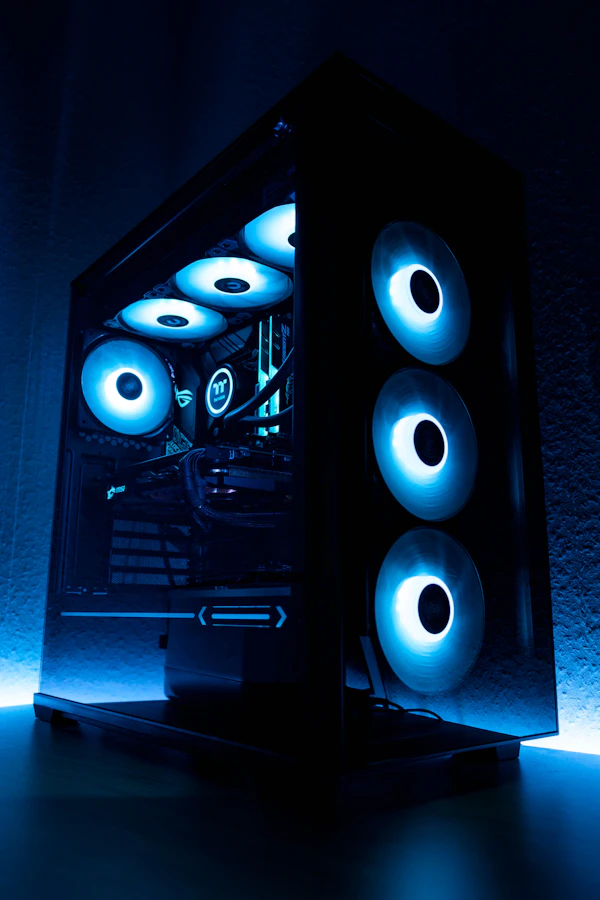
Custom engineered aerodynamic blades cool air ko speed se system ke andar push karte hain aur warm internal air ko efficient exhaust ports ke zariye turant bahar phenkte hain.
Liquid phase-change technology ke sath, copper heat pipes garam hokar vaporize hoti hain aur cooling fins par pahunchte hi condense ho kar heat release karti hain. Yeh cycle unlimited chalta rehta hai.
Apne gaming session ke dauran system hardware temperature monitor karein aur throttling se bachein.
Gaming Rig ka asli engine CPU nahi, graphics card hota hai. Frame rates determine karne se lekar realistic lighting tak, sab kuch GPU par depend karta hai. Modern tech innovations like Ray Tracing and DLSS have completely changed how we experience virtual worlds.
The gold standard of gaming. Dedicated RT cores and Tensor cores enable heavy real-time calculations directly on-chip without crushing your performance.
Simulates real-world physical behavior of light. Reflective puddles, photorealistic shadows, and ambient occlusion that change dynamically with environment objects.
Deep Learning Super Sampling. Renders games at lower res and upscales using AI processors. Easily double your frames without losing visual sharpness.
For esports and casual play. Smooth frames in Valorant, CS2, GTA V on optimized settings. Standard cards: RX 6500, RTX 3050.
High refresh rate setups (144Hz+) or 2K Ultra gaming. Extremely smooth gameplay with Ray Tracing enabled. Standard cards: RTX 4070, RX 7700 XT.
No compromises, max headroom. Future-proof for 4K rendering, extreme VR, and machine learning models. Standard cards: RTX 4080, RTX 4090.
Gaming laptops ko unki peak potential par run karne ke liye bohot zyada power ki zaroorat hoti hai. Jab aap battery par game khelte hain, toh operating system aur hardware automatic throttle mode par chale jaate hain taaki battery sudden discharge na ho. Isliye maximum performance ke liye humesha stock wall charger ka use karein.
Satisfying tactile profile aur quick bounce back click action gameplays ko extra precision dete hain. Backlight dynamically customizable hai.
Responsive windows drivers ke sath massive tracking surface area. Mouse clutter ko eliminate karne ke liye major power ports piche ki taraf oriented hain.
Lag-free online battles aur super-fast file transfer ke liye complete input/output ecosystem.
Ultra-fast data backup, external GPU connectivity aur lightning-fast power delivery support.
Keyboard, mouse aur gaming controller accessories ke seamless connection ke liye standard ports.
Wired stability ke sath zero-ping esports gaming aur non-stop stable broadband integration.
6GHz band interference se door rahe aur highly crowded networks pe bhi speed high rakhne me help kare.
Aapke gaming style ke mutabik sahi hardware specs aur custom performance parameters chunne ki ultimate guide.
Valorant, BGMI, Apex Legends jaise games me maximum frames aur custom stability ke liye optimized.
Cyberpunk, GTA V Ultra, aur extreme Ray Tracing support ke saath cinematic realism experience.
Heavy gaming ke sath high-end video editing, 3D rendering aur intensive multitasking ke liye.
Sleek looks par mat jao! Thin laptops high-end CPU/GPU ko thanda nahi rakh paate. Heat badhne par performance automatically drop (throttle) ho jayegi. Look for dual fans and side vents.
8GB Single-Channel RAM modern AAA games ke liye bilkul kaafi nahi hai. Isse heavy stuttering aur frame drops hote hain. Dual-channel 16GB (8GB x 2) ko apna absolute baseline banayein.
Verify these crucial hardware specs before completing your order. Don’t fall for OEM marketing traps.
Pehle limit set karo. ₹50k (Entry), ₹80k (Mid-Range) ya ₹1.2L+ (Premium). Isse choice list narrow down ho jayegi.
Casual eSports (Valorant, CS) khelna hai ya heavy graphic AAA titles (GTA V, Cyberpunk)? Heavy gaming demand high specs.


Notifications