
Samsung 24-Inch Curved Monitor 100Hz — 1800R, 4ms & Features
A complete specification breakdown and buying guide for the Samsung LS24D368GAWXXL — a 24-inch 1800R curved monitor with 100Hz refresh rate, 4ms response time, sRGB 95% color coverage, Game Mode and Eye Saver Mode.
24-Inch Screen
1800R Curved
100Hz Refresh
4ms Response
* As an Amazon Associate, Tech Dhamaka Hub may earn from qualifying purchases. Product info is based on listed specifications.
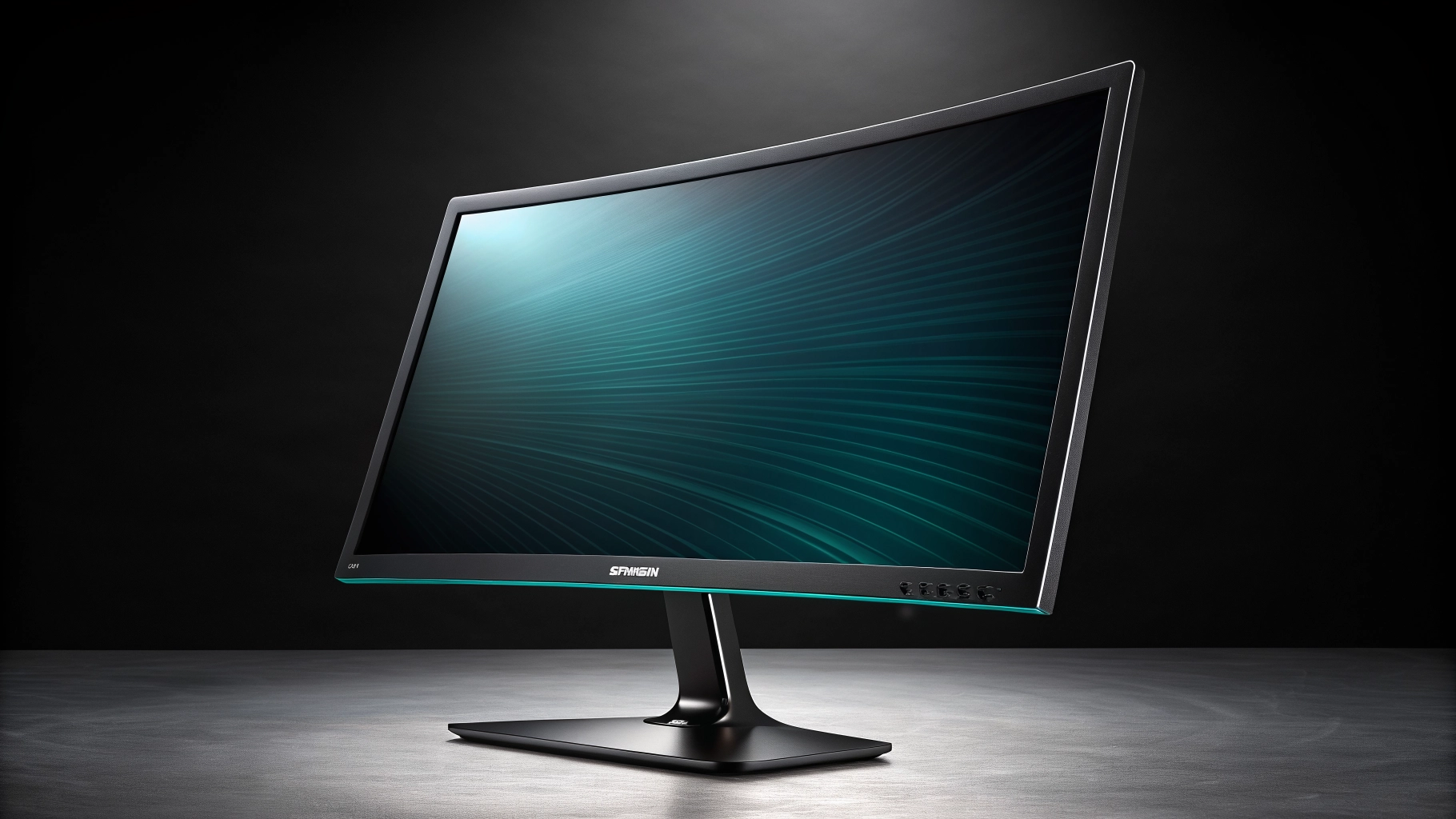
What Is the Samsung LS24D368GAWXXL?
According to its listed specifications, the monitor covers 95% of the sRGB color space and supports 16.7 million colors, making it suitable for everyday content consumption, web browsing, office work, and casual entertainment. It includes connectivity options such as HDMI, D-Sub (VGA), and a headphone output port.
Samsung has included several user-comfort and display features in this model: Game Mode for display optimization during gaming sessions, Eye Saver Mode to reduce blue light emission, Flicker Free technology to minimize screen flicker, and Off Timer Plus for scheduled power management. Based on its listed specifications, this monitor targets users looking for a curved display for general productivity, home entertainment, and casual gaming.
Samsung LS24D368GAWXXL — Full Specifications
Brand
Samsung
LS24D368GAWXXL
24-inch
1800R
100Hz
Response Time
4ms
sRGB 95%
Color Support
16.7 Million Colors
HDMI, D-Sub (VGA), Headphone Out
Game Mode
Eye Saver Mode
Flicker Free
Off Timer Plus
Black
* Specifications sourced from the listed product information. Always verify the current listing on Amazon before purchase.
Samsung LS24D368GAWXXL — Feature Breakdown
1800R Curved Screen
The 1800R curvature radius means the monitor curves to match a circle with a 1800mm radius. This gentle curve is designed to bring the screen edges slightly closer to your eyes, potentially reducing the need to move your head as much when viewing content across the full width of the display. Whether a curved screen feels more comfortable than a flat display is largely a matter of personal preference and desk setup.
100Hz Refresh Rate
4ms Response Time
Response time refers to how quickly a pixel can transition from one color to another. The listed 4ms response time is intended to reduce the visibility of motion blur or ghosting during fast-moving scenes. As with all response time specifications, real-world results can vary depending on content type and display settings.
sRGB 95% Coverage
16.7M Color Support
Support for 16.7 million colors (24-bit color depth) means the monitor can display a wide range of color gradations, helping to produce smoother color transitions and more natural-looking images in everyday content and media.
Game Mode
Game Mode is a display preset included by Samsung that is intended to optimize certain display parameters for gaming scenarios. The exact adjustments made by Game Mode are not detailed in the provided specifications. Users interested in the specific effects of this mode should refer to the official Samsung product documentation.
Eye Saver Mode
Eye Saver Mode is designed to reduce the amount of blue light emitted by the display. Prolonged exposure to blue light from screens is a common concern for users who spend extended hours in front of a monitor. This feature is intended to make extended viewing sessions more comfortable. It is not a medical device and should not be treated as one.
Flicker Free
Flicker Free technology is designed to reduce or eliminate the rapid flickering that can occur with some display backlights. Screen flicker, even when not consciously visible, can contribute to eye fatigue during long sessions. This feature aims to provide a more stable image output.
Off Timer Plus
What Does 1800R Curvature Mean?
The “R” in 1800R stands for radius, measured in millimetres. An 1800R curved monitor is designed to match the curvature of a circle with a radius of 1800mm (1.8 metres). In practical terms, this is considered a moderate curve — noticeable enough to provide a sense of immersion when seated at a typical desk distance, but not so extreme as to cause distortion at the screen edges. Monitors with a lower R number (such as 1500R or 1000R) have a tighter, more pronounced curve, while a higher R number means a flatter curve. The 1800R curvature on this Samsung monitor is designed to be comfortable for a wide range of users and desk setups. Whether you prefer a curved or flat display is ultimately a personal choice that depends on your viewing habits, desk width, and the type of content you primarily use your monitor for.
100Hz vs 60Hz — What Is the Difference?
60Hz Display
A standard 60Hz display refreshes its image 60 times per second. This is the baseline for most entry-level monitors and is generally adequate for office work, web browsing, and standard video content.
100Hz Display
A 100Hz display refreshes 100 times per second — approximately 67% more frequently than a 60Hz panel. This can result in noticeably smoother motion during scrolling, video playback, and gaming. The improvement is most visible during fast-moving content.
Regarding the 4ms response time: response time measures how quickly individual pixels can change color. A lower response time is generally associated with less visible motion blur during fast transitions. The 4ms specification listed for this monitor is intended to reduce ghosting in fast-moving scenes, though actual results will vary based on content and settings.
Ports & Connectivity — Samsung LS24D368GAWXXL
HDMI Port
HDMI (High-Definition Multimedia Interface) is the most widely used digital connection for monitors. It carries both video and audio signals over a single cable and is compatible with laptops, desktop PCs, gaming consoles, streaming devices, and most modern computers. The exact HDMI version supported by this monitor is not specified in the provided product information — please verify on the Amazon listing before purchase.
D-Sub (VGA) Port
D-Sub, commonly known as VGA, is an analogue video connection. While VGA is an older standard, it remains useful for connecting older desktop computers, certain laptops, and legacy devices that do not have HDMI output. Having both HDMI and D-Sub ports allows this monitor to be used with a wider range of devices.
Headphone Output
The headphone output port allows users to connect headphones or earphones directly to the monitor. This can be convenient when the monitor is used as the primary audio output point, particularly when connected to a device via HDMI which passes audio through the monitor.
Who Is This Monitor Suitable For?
Based on the listed specifications, here is how the Samsung LS24D368GAWXXL may suit different types of users.
Office Work
The 24-inch screen size provides a comfortable working area for documents, spreadsheets, email, and web browsing. The 1800R curved design may help reduce the need to move your head when working across the full width of the screen. The Eye Saver Mode and Flicker Free features are relevant for users who spend long hours at a desk.
Students
Students who use their monitor for research, writing assignments, attending online classes, and general computing may find the 24-inch curved screen a comfortable upgrade from a laptop display. The Eye Saver Mode can be useful during extended study sessions.
Home Entertainment
The 24-inch curved screen and 100Hz refresh rate can contribute to a more engaging experience when watching videos, streaming content, or browsing media. The curved design adds a mild sense of immersion compared to a flat display of the same size.
Casual Gaming
The combination of a 100Hz refresh rate, 4ms response time, and dedicated Game Mode makes this monitor potentially suitable for casual gaming. Users who play everyday titles and prefer smoother visuals over a standard 60Hz display may find this monitor appealing. It is not positioned as a high-end or competitive gaming monitor.
Basic Content Work
Who May Find This Monitor Suitable
- Students looking for a comfortable everyday monitor
- Office users who spend long hours at a desk
- Home users wanting a curved display upgrade
- General productivity and multitasking users
- Casual gamers who want smoother visuals than 60Hz
- Users who prefer curved displays over flat screens
- Users connecting via HDMI or D-Sub (VGA)
- Users who value Eye Saver Mode and Flicker Free features
Based on the listed specifications of the Samsung LS24D368GAWXXL.
When Another Monitor May Be More Suitable
- You require a refresh rate higher than 100Hz for competitive gaming
- You are a professional requiring verified color accuracy for print or broadcast work
- You need DisplayPort or USB connectivity not listed in these specifications
- You prefer a larger screen size beyond 24 inches
- You require a monitor with built-in speakers (not confirmed in specifications)
- You need a monitor with height, tilt, or pivot stand adjustments (not confirmed in specifications)
Frequently Asked Questions — Samsung 24-Inch Curved Monitor
Is the Samsung LS24D368GAWXXL a curved monitor?
What is the refresh rate of this Samsung monitor?
What is the response time of this monitor?
Does this Samsung monitor have a Game Mode?
Does it have Eye Saver Mode?
What ports does this monitor have?
Is this monitor suitable for gaming?
Is a curved monitor better than a flat monitor?
What the Specifications Offer
- 24-inch curved display with 1800R curvature radius
- 100Hz refresh rate — smoother than standard 60Hz displays
- 4ms response time as listed in specifications
- sRGB 95% color coverage for everyday content
- 16.7 million color support
- Dedicated Game Mode display preset
- Eye Saver Mode to reduce blue light emission
- Flicker Free technology for a more stable image
- HDMI port for modern device connectivity
- D-Sub (VGA) port for legacy device compatibility
- Headphone output port
- Off Timer Plus for scheduled power management
- Samsung brand reliability
Points Worth Checking Before Buying
- Panel type (IPS, VA, TN) is not specified in the provided product information — verify on the official listing
- Resolution is not confirmed in the provided specifications — check the Amazon listing
- Brightness and contrast ratio are not listed — verify if these are important to your use case
- Stand adjustment options (height, tilt, pivot, swivel) are not confirmed in the specifications
- Built-in speakers are not confirmed — the headphone port is listed but speakers are not
- HDMI version is not specified — verify compatibility with your device
- Not designed for professional color-critical work without independent calibration verification
- Not positioned as a high-refresh-rate competitive gaming monitor
* All points above are based solely on the provided product specifications. Always verify the complete specification sheet on the official Samsung website or the Amazon product listing before purchase.
Buying Checklist — Samsung LS24D368GAWXXL
Before completing your purchase, we recommend verifying the following on the Amazon product listing:
Verify the Exact Model Number
Confirm the listing shows model LS24D368GAWXXL to ensure you are purchasing the correct variant.
Check the Current Price
Monitor prices can change frequently. Always check the current price on Amazon at the time of purchase.
Review Seller Details
Confirm Warranty Information
Verify the warranty terms offered with this monitor, including duration and what is covered.
Check Return & Replacement Policy
Review Amazon and the seller return and replacement policy before completing your order.
Confirm Current Availability
Check that the item is currently in stock and available for delivery to your location.
Verify Full Connectivity Specifications
Cross-Check with Official Samsung Specifications
For complete and verified specifications including resolution, panel type, brightness, and contrast ratio, refer to the official Samsung India product page.
Our Verdict — Samsung 24-Inch Curved Monitor
Tech Dhamaka Hub has not personally tested this monitor. All information in this guide is based on the listed product specifications. We encourage readers to research further using official Samsung documentation and verified customer reviews on Amazon before purchasing.
Check Samsung 24-Inch Curved Monitor Price on Amazon
The Samsung LS24D368GAWXXL is available on Amazon. Click below to view the current price, check availability, read customer reviews, and verify the full specification listing before purchasing.
* Tech Dhamaka Hub participates in the Amazon Associates programme. If you purchase through our link, we may earn a small commission at no additional cost to you. This does not influence our content — all information in this guide is based on the listed product specifications.
Add a Comment